
Quick Answer
For most beginners building a first emergency fund, Acorns is the best micro-investing app with its automated round-up feature and diversified portfolios starting at $3/month. Stash is better if you want partial-share stock purchases with banking features attached. The average consistent user can accumulate roughly $1,800 to $2,200 in their first 12 months through micro-investing apps beginners actually stick with.
How We Chose
We evaluated 11 micro-investing platforms against five criteria that matter for emergency-fund building: minimum initial deposit, monthly fee structure on sub-$3,000 accounts, automated recurring-investment options, liquidity speed for withdrawals, and educational content quality. Data was pulled directly from each provider’s published fee schedules and product pages in May 2025, cross-referenced with FINRA’s investor guidance on micro-investing accounts and the Federal Reserve’s 2024 household economics data. Platforms that required securities-trading knowledge or charged inactivity penalties on small balances were eliminated. The final seven picks all require $5 or less to start and offer mobile-first experiences designed for hands-off users.
Key Takeaways
- 24% of Americans have no emergency savings at all, according to a Bankrate survey, making the barrier to starting a first fund a widespread problem, not an individual one.
- A consistent $5/day invested in a diversified portfolio could reach roughly $2,000 after one year and $10,500 after five years at average market returns, per CNBC calculations cited in this article.
- The Federal Reserve Board reported that 55% of U.S. adults had set aside enough for three months of expenses in 2024, leaving 45% without that buffer.
- A flat $3/month fee on a $500 account equals roughly 7.2% annually in costs; that same fee on a $5,000 account drops to just 0.72%, so growing the balance quickly is the best way to make the fee structure work in your favor.
- 58% of micro-investing platform users are younger investors, according to Credence Research, meaning the compounding runway ahead of most users is substantial.
- Selling ETF shares on most micro-investing apps takes two to four business days to reach your bank account, which is why keeping a separate $500 cash buffer in a linked high-yield savings account is essential for true emergencies.
Micro-investing apps beginners can actually use without a finance degree have quietly reshaped who gets to build wealth. For a single mom working hourly shifts with no partner income as backup, the math of traditional saving often does not work: child care eats 20 to 30 percent of take-home pay in many metro areas, and a Bankrate survey found 24% of Americans have no emergency savings at all. The barrier is not always income, it is the size of the first deposit. That is where micro-investing apps beginners gravitate toward solve a real problem: they let you start with pocket change.
The single criterion that mattered most in our ranking was automation reliability. Any app that requires manual transfers or frequent decision-making will fail the person who is exhausted at 10 p.m. after a double shift. The picks below all automate the hardest part, moving money, so the habit forms before the balance gets big.
| App | Best For | Starting Monthly Fee |
|---|---|---|
| Acorns | Best overall for hands-off round-up saving | $3 |
| Stash | Best for combining investing with banking | $3 |
| Public | Best for commission-free fractional shares | $0 |
| Robinhood | Best for $0-account-minimum recurring buys | $0 |
| Fidelity Spire | Best for goal-based planning with no fees | $0 |
| Betterment | Best for automated ETF portfolios on small balances | $4 |
| SoFi Invest | Best for zero-fee active + automated investing | $0 |
Why a Single Mom Turned to Micro-Investing Apps for Her Emergency Fund
Maria, 34, works as a medical billing specialist in Phoenix. Her take-home pay runs roughly $3,200/month. Rent on a two-bedroom apartment consumes $1,450. Child care for her five-year-old is $680. After groceries, utilities, and the car payment, there is rarely more than $60 left at the end of a pay period. A traditional high-yield savings account felt irrelevant, she had nothing to seed it with.
The trigger was a $900 car repair in February 2024 that went onto a credit card at 27.99% APR. She paid it off over four months and tallied $87 in interest. That $87 was the cost of not having a buffer. She downloaded Acorns the following week. Here is what happened: she linked her debit card and checking account. The app rounded up every purchase to the nearest dollar and swept the difference into a portfolio of ETFs. She added a recurring $5 weekly deposit. That was it. Twelve months later, her balance sat at $1,974. Contributions totaled $1,810; market growth added the rest. The habit worked because she never had to think about it.

Micro-investing apps beginners often assume the gains will be trivial. A CNBC calculation illustrates the opposite: $5/day invested consistently in a diversified portfolio could reach roughly $2,000 after one year and $10,500 after five, assuming average market returns. The single greatest predictor is not the fee structure or the app’s design, it is whether the deposits happen automatically. For a single parent, automation removes the cognitive load that makes saving feel like another chore.
Building an emergency fund before investing aggressively is the order of operations most financial planners recommend. Micro-investing blurs the line slightly because the money is invested in securities, not held in cash. But for someone starting from zero, the behavioral win of seeing a balance grow often outweighs the theoretical risk of market dips on a sub-$2,000 account.
How Micro-Investing Apps Actually Work
The mechanics are deliberately simple. Micro-investing apps beginners encounter two core features: round-ups and recurring deposits.
Round-ups link to your debit or credit card. Buy a coffee for $3.40; the app rounds to $4.00 and invests the $0.60 difference. The amounts are small enough that you do not feel them, but across 30 to 40 transactions per month, they accumulate. Recurring deposits are fixed amounts, $5 weekly, $10 biweekly, pulled from a linked bank account on a schedule you set. Most apps let you adjust or pause these instantly. There is no stock-picking required. The platform buys fractional shares of ETFs or individual stocks and allocates them according to a risk profile you choose during setup, typically ranging from conservative (heavier in bonds) to aggressive (heavier in equities).
FINRA advises anyone using these platforms to verify the firm’s registration through BrokerCheck, compare fees carefully, and understand that some cash balances held in the app may not carry FDIC or SIPC protection until invested. This is not a reason to avoid micro-investing, it is a reason to read the disclosures, which every legitimate app provides during onboarding.
Setting Realistic Goals: From $0 to a 3-Month Emergency Buffer
Before picking an app, define the target. A single parent’s three-month emergency buffer should cover rent, child care, food, utilities, transportation, and minimum debt payments. For Maria, that number was $7,800. Attempting to build that entirely through round-ups would take years. She set a staged goal: $1,000 in six months to cover a car repair or medical copay, then $3,000 by month 18, then the full buffer. The first stage is what micro-investing apps beginners should focus on, a psychologically achievable number that proves consistency works.
Market dips will happen. On a $1,500 account, a 5 percent correction is $75. Emotionally, that stings when you built the balance dollar by dollar. But Maria’s portfolio was a moderate-risk mix, roughly 60 percent equity ETFs, 40 percent bond ETFs, so the drawdowns were muted. She checked the app once a week, not daily. That discipline mattered more than any feature the app offered.
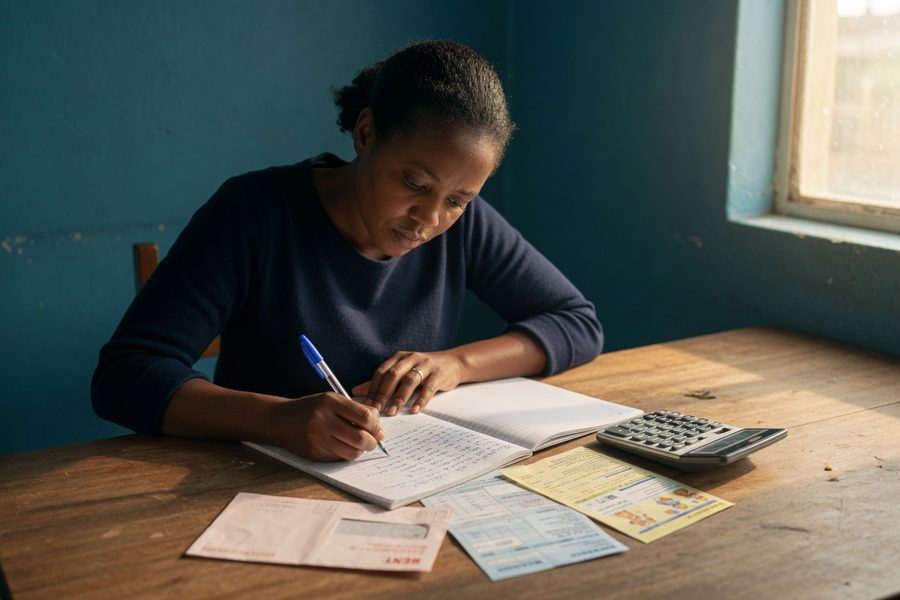
The Federal Reserve Board reported that 55% of U.S. adults had set aside enough for three months of expenses in 2024. The other 45 percent are the audience for micro-investing apps beginners turn to, not because a few dollars in round-ups replaces a fully funded emergency account, but because it creates momentum where none existed before.
Daily Habits That Made the Strategy Stick
Maria’s system was not complicated. Three habits drove the result:
- She linked every card she used. Groceries, gas, the occasional pizza delivery, every transaction triggered a round-up. She averaged $32/month in round-ups alone.
- She paired the app with a bare-bones budget. By tracking expenses for 30 days using a free budgeting tool, she identified $47/month in forgotten subscriptions. That $47 became her recurring weekly deposit.
- She set a calendar reminder to review, not to act. Every Sunday evening, she opened the app for 90 seconds. She looked at the balance, read one piece of in-app educational content, and closed it. No trading. No rebalancing.
Micro-investing apps beginners stick with tend to be the ones that send push notifications celebrating milestones, first $100, first $500. These are behavioral nudges, not investment insights, but they work. Acorns and Stash both offer this. Maria said the $500 notification hit harder than any paycheck because it was money she had not missed.
Irregular income months are the real test. In July 2024, Maria’s hours were cut for three weeks and her paycheck dropped $400. She paused the recurring deposit but kept the round-ups active, a feature available on most platforms. Even that reduced contribution kept the streak alive psychologically. When hours normalized, she resumed the full deposit. The app did not penalize her for pausing. Learning to start a sinking fund when money is tight uses the same principle: automate what you can, pause rather than quit when income dips, and protect the habit above the dollar amount.
The Numbers: What Her Portfolio Looked Like After 12 Months
Here is the actual breakdown of Maria’s first year, using conservative market-return assumptions consistent with a moderate-risk ETF portfolio:
- Total contributions: $1,810 ($32/month average from round-ups; $20/month from recurring $5/week deposits)
- Investment growth: $164 (roughly 9 percent on a portfolio averaging $1,200 across the year)
- Fees paid to Acorns: $36 ($3/month Personal plan)
- Net portfolio value at month 12: $1,938
If that same $1,810 had sat in a standard savings account earning 0.45% APY, the national average as of mid-2025, the interest earned would have been roughly $8. The difference between $8 and $164 is not life-changing, but it is real. More importantly, the invested balance was growing during months when Maria would have otherwise spent the loose change.
The fee is the honest caveat. $36/year on a sub-$2,000 account represents roughly 1.9 percent of the average balance. That is high by investing standards. As the balance grows, the fee becomes proportionally smaller. On a $5,000 account, the same $36 is 0.72 percent. This is the tradeoff micro-investing apps beginners accept: pay a flat fee for automation that builds the habit, knowing the cost will diminish over time.
Bankrate’s 2025 emergency savings report found that 46% of Americans have enough savings to cover three months of expenses. Maria entered that group sometime in month 19, assuming she kept the same contribution pace and experienced average market conditions. The app did not make her wealthy. It made her consistent.
Risks She Navigated and Lessons Learned
Investing an emergency fund carries a specific risk: the market drops right when you need the money. In October 2024, Maria’s portfolio dipped 4.3 percent in three weeks during a broad market pullback. Her balance fell from $1,640 to $1,570. She had a $400 car insurance premium due the same week. She paid it from her checking account, not by selling investments at a loss. That is the rule: an invested emergency fund only works if you have a small cash cushion outside the app for immediate needs.
Liquidity is another friction. Selling ETF shares on Acorns takes one to two business days to settle, then another day to transfer to a bank account. That is three days, best case. For a true emergency, a tow truck, an ER copay, three days is too long. Single parents managing debt while building savings often use a hybrid approach: keep $500 in a linked high-yield savings account for same-day access, and let the invested balance serve as the second layer of defense.
Taxes are the final lesson. Selling securities at a gain triggers a taxable event. On Maria’s $164 in growth, the tax bill at her marginal rate was roughly $20. Not zero, but not punitive. The bigger point: micro-investing apps beginners use for an emergency fund should be thought of as a bridge to more structured financial planning, not a permanent substitute for a cash buffer. Once Maria’s balance crossed $3,000, she stopped reinvesting dividends and began sweeping them into a separate high-yield savings account to build the cash layer.
Real-World Example: Acorns, Best Overall for Hands-Off Round-Up Saving
Verdict: Acorns wins for anyone who will not manually move money. Its round-up engine and found-money rewards create a savings rate that feels invisible.
At $3/month for the Personal plan (per Acorns’ pricing page), the account requires $0 to open. Portfolios are ETF-based across five risk levels. The average round-up user accumulates $30–$40/month from spare change alone, and withdrawals settle in 1–2 business days.
Best for:
- People who will forget to deposit money unless the app does it for them
- Single parents who want a set-it-and-forget-it system with zero trading decisions
- Anyone building their first $1,000–$2,000 who needs the psychological win of seeing progress without budgeting for it
Watch out for: The $3 flat fee is proportionally high on balances under $500, roughly 7.2% annually on a $500 account. The fee structure makes more sense once you cross roughly $1,200.
Real-World Example: Stash, Best for Combining Investing with Banking
Verdict: Stash pairs fractional-share investing with a spending account and debit card, making it the pick for someone who wants one app for both daily spending and long-term saving.
The Growth plan runs $3/month (per Stash’s pricing page). Fractional shares start at just $0.01. The Stock-Back debit card earns fractional shares on purchases, and a retirement account option is available at the $9/month tier.
Best for:
- People who want to learn about individual stocks while building an emergency fund
- Users who will use the banking features to consolidate financial tools
- Parents who want to open a custodial account for their child later
One caution: the educational content can nudge users toward stock-picking, which adds risk to an emergency fund. Stick to the “Smart Portfolio” automated option for the cash you cannot afford to lose.
Real-World Example: Public, Best for Commission-Free Fractional Shares
Verdict: Public charges no trading commissions and no monthly subscription fee, making it the most cost-efficient choice for fractional-share investing on small dollar amounts.
There is no monthly fee and no account minimum. Fractional shares are available across thousands of stocks and ETFs per Public’s pricing page. Revenue comes from optional tipping and securities lending, both of which users can opt out of.
Best for:
- Cost-conscious beginners who want to avoid monthly fees entirely
- Users comfortable managing their own recurring deposits without automated round-ups
- Anyone who wants community features and real-time market commentary alongside their portfolio
Watch out for: Public does not offer automated round-ups. You must set recurring transfers manually. The social-investing features can encourage overtrading, which runs counter to an emergency-fund strategy.
Real-World Example: Robinhood, Best for $0-Account-Minimum Recurring Buys
Verdict: Robinhood’s recurring-investment feature works with as little as $1/day, and the platform charges no commissions or subscription fees on the basic plan.
The account minimum is $0, with $0 commission on stocks and ETFs per Robinhood’s fee schedule. Fractional shares are available. Robinhood Gold, which adds research and margin access, costs $5/month but is entirely optional. Recurring investments can be scheduled daily, weekly, or monthly.
Best for:
- Beginners who want a clean, uncluttered app and no monthly fee
- Users who plan to transition eventually from emergency-fund investing to longer-term stock holdings
- People comfortable with self-directed accounts who do not need automated portfolio management
Watch out for: Robinhood has faced regulatory scrutiny; FINRA fined the company $70 million in 2021 for system outages and misleading customers. The platform is stable now, but the history is relevant. Also, no round-up feature, you must set explicit recurring deposits.
Real-World Example: Fidelity Spire, Best for Goal-Based Planning with No Fees
Verdict: Fidelity Spire is a zero-fee mobile app that lets you set specific savings goals, invest in Fidelity mutual funds with no account minimums, and track progress visually.
Both the monthly fee and the account minimum are $0. Access to Fidelity’s proprietary mutual funds requires no minimum investment per Fidelity’s fund information. There is no round-up feature; funding is manual or through recurring transfers.
Best for:
- Goal-oriented savers who want to name their targets: “Car Repair Fund,” “Three-Month Buffer”
- People who prefer a major, established financial institution over a fintech startup
- Users who may later open a Roth IRA or brokerage account under the same login
One limitation worth knowing: Spire is simpler than the main Fidelity app, which can be a negative if you want advanced features later. The app is designed for goal tracking, not active trading, so anyone looking for real-time market data will find it limited.
Real-World Example: Betterment, Best for Automated ETF Portfolios on Small Balances
Verdict: Betterment automates portfolio construction, rebalancing, and tax-loss harvesting in a way that requires zero investor input, and its digital plan costs $4/month.
The Digital plan costs $4/month on balances under $20,000 (per Betterment’s pricing page), with no minimum balance required. Portfolios use low-cost ETFs across global stock and bond markets. Tax-loss harvesting is included, though its benefit on sub-$5,000 portfolios is minimal.
Best for:
- People who want true robo-advisor automation without any DIY portfolio decisions
- Users planning to grow the account well beyond emergency-fund size over time
- Those who value tax-efficiency features even on smaller balances
Watch out for: The $4/month fee is higher than Acorns or Stash on the smallest balances. On a $500 account, that is nearly 10% annually in fees. Betterment makes sense once you commit to crossing $2,000 and staying there.
Real-World Example: SoFi Invest, Best for Zero-Fee Active + Automated Investing
Verdict: SoFi Invest combines automated robo-advising with commission-free active trading under one $0/month account, and integrates with SoFi’s high-yield checking and savings products.
There is no monthly fee and no minimum to start (per SoFi Invest’s product page). Automated investing allocates to ETFs based on risk tolerance, and active investing allows fractional-share purchases. IPO access is available. There is no round-up feature on the investing side, but SoFi Checking offers round-ups into a savings vault.
Best for:
- People who want one financial ecosystem: checking, savings, and investing in one app
- Beginners who might want to try both automated and self-directed approaches without separate accounts
- Users who value zero fees across the board and do not mind a less specialized investing experience
Watch out for: The automated portfolio is less customizable than Betterment or Acorns. SoFi also markets lending products aggressively within the app, which can be distracting for someone focused solely on building savings.
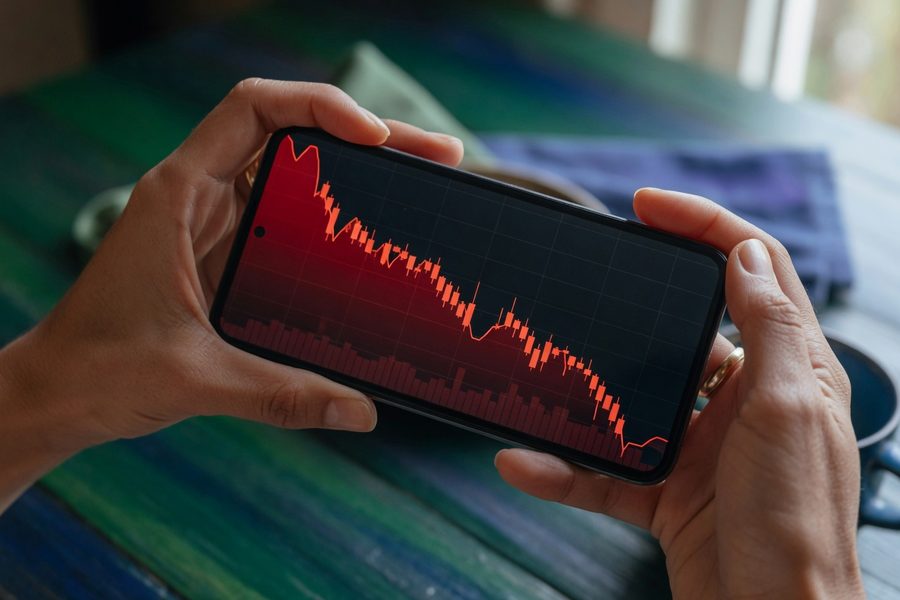
Acorns is the overall winner for micro-investing apps beginners building a first emergency fund. Its round-up engine and found-money rewards create the most frictionless savings experience available, and the $3/month fee becomes negligible once the balance crosses roughly $1,200. For cash you may need within 48 hours, keep a $500 buffer in a linked high-yield savings account.
Choosing the Right Micro-Investing App for Your Situation
Start with the fee. On a sub-$1,000 account, a $3 or $4 monthly fee is proportionally steep. If you plan to fund the account aggressively and cross $2,000 within six months, the fee matters less. If you are scraping together $20/month, pick a zero-fee option like Public or Fidelity Spire. The math is straightforward: a $36 annual fee on a $500 average balance is 7.2%, more than most portfolios earn in a typical year.
Ask these four questions before downloading anything:
- Will I actually set up recurring deposits, or do I need the app to do it for me? If the answer is “do it for me,” Acorns is the only pick with true automated round-ups. Budgeting tools that automate saving can supplement apps that lack round-ups, but they require additional setup.
- Do I want to keep my emergency fund in the same app as my checking account? SoFi and Stash offer banking integration. Acorns and Public do not. One-app households tend to check balances more often, which can be good for habit-building but bad for resisting the urge to sell during dips.
- Will I panic-sell if the balance drops $50 in a week? Micro-investing apps beginners with low risk tolerance should not pick a platform that makes trading look fun. Robinhood and Public, with their real-time charts and social feeds, are the worst choices for someone who will obsessively check and trade. Betterment and Fidelity Spire are the calmest interfaces.
- What happens when I need the money fast? Settlement and transfer times vary. Acorns, Stash, and Betterment take 2-3 business days from sale to bank account. SoFi can be faster if your checking account is within SoFi. Confirm withdrawal timelines before committing your emergency fund.
Micro-investing apps beginners often gravitate toward the one with the most features. More features add complexity; complexity adds friction; friction breaks the habit. Pick the simplest app that meets your fee tolerance and automation requirement, then ignore it as much as possible.
According to FINRA’s guidance on micro-investing, these apps lower the cost of entry and open up investment opportunities to a wider audience. The practical implication: getting started, even imperfectly, beats waiting until you have a larger sum to invest.
Where Micro-Investing Fits in a Single Mom’s Broader Financial Picture
Micro-investing solves one problem: getting started. It does not solve high-interest debt, inadequate income, or the lack of a will. Maria paid off her credit card before she began investing, a sequence that matters. Avoiding debt-payoff mistakes on a low income means prioritizing any debt above roughly 10% APR before directing cash to an investment account. The market cannot reliably outrun credit-card interest.
Once the emergency fund hits its target, for Maria, $3,000 as a first milestone, the next move is not to keep pouring money into the same pot indefinitely. She opened a Roth IRA and began directing $50/month there, keeping the Acorns account as a secondary buffer. Financial planning tools designed for irregular-income workers helped her map contribution levels to months when her hours were higher. The micro-investing app taught her the habit; the IRA gave the habit a retirement vehicle.
One statistic puts the urgency in perspective: Credence Research reported that 58% of micro-investing platform users are younger investors. That means the majority of users have decades of compounding ahead of them. For a single mom at 34, that runway is still long enough to matter, but it is shorter than the 22-year-old’s. Every year of delay costs more. Micro-investing apps beginners start using in their 30s and 40s have less time to compound, which makes the fee-to-balance ratio and the eventual transition to retirement accounts even more important.
Consistent investing, even in small amounts, builds the kind of financial intuition that carries over to better decisions later. As FINRA notes in its micro-investing guidance, actually putting money into the market is one of the best ways to learn how it works.
8-Step Action Plan to Build Your First Emergency Fund with a Micro-Investing App
- Calculate your three-month expense number. Add rent/mortgage, child care, food, utilities, transportation, and minimum debt payments. That is your long-term target. Write down a six-month mini-target of $1,000 or $1,500.
- Open a high-yield savings account with $0 minimum. Put $100-$500 here first, if possible, to cover same-day emergencies. This is your liquidity layer; the investing app is the growth layer.
- Pick the app that matches your automation need. Acorns if you want round-ups. Public or Fidelity Spire if you want zero fees and are disciplined enough to set manual recurring deposits. Refer to the comparison table above.
- Set a recurring deposit of exactly $5/week. That is $20/month. The amount should be small enough that you will not cancel it during a tight month. Consistency matters more than amount.
- Link every spending card you use. Round-ups compound quickly when they fire on all transactions. Thirty transactions per month averaging $0.50 round-up each is $15/month, nearly doubling your $20 deposit.
- Schedule a weekly 90-second check-in. Look at the balance, read one educational snippet, close the app. Do not rebalance. Do not trade. The check-in is for habit reinforcement, not portfolio management.
- When the balance crosses $1,500, adjust your risk level. Shift toward a more conservative allocation if this money is truly your emergency fund. Most apps offer a conservative preset with heavier bond weighting.
- At $3,000, open a Roth IRA and split contributions. Keep the micro-investing balance steady. Direct new excess cash to the IRA. The emergency fund is now built; the retirement clock is ticking.
FINRA’s investor guidance on these platforms is direct: apps like these are good for the novice investor to establish consistent savings patterns and create a habit around investing. That is exactly what the eight steps above are designed to do.
Related reading: How a 32.
Frequently Asked Questions
What is the best micro-investing app for someone with only $20 to start?
Public and Robinhood both allow you to start with $1 and charge no monthly fees. Acorns and Stash also accept tiny deposits but charge $3/month, which eats significantly into returns on very small balances. Pick a zero-fee app if you are starting with $20 and expect to contribute slowly.
Is it safe to invest my emergency fund in the stock market?
It carries risk that a pure savings account does not. Market corrections of 5-10% are common and can temporarily reduce your balance when you might need the money. The safer approach is to keep one month of expenses in cash and let the invested portion serve as a secondary buffer, as FINRA’s guidance on micro-investing suggests.
Do micro-investing apps have FDIC insurance?
Cash held in a linked spending or savings account within the app may carry FDIC insurance, but money invested in securities does not. SIPC protection covers securities up to $500,000 if the brokerage fails, but it does not protect against market losses. Check each app’s disclosures for which portions of your balance are insured and under what conditions.
How much can I realistically save in one year with micro-investing apps?
Using a combination of round-ups and a $5/week recurring deposit, a typical user accumulates $900 to $1,200 in contributions annually. Market growth can add another $50 to $150 depending on allocation and market conditions. The range is wide because round-up totals vary by spending volume.
Can I use a micro-investing app if I have irregular income as a single parent?
Yes. Most apps allow you to pause recurring deposits instantly without closing the account or facing penalties. Round-ups continue regardless of income changes as long as you are still spending on linked cards. The flexibility to adjust contribution levels month by month makes these apps viable for gig workers and hourly employees with variable schedules.
What happens when I need to withdraw money quickly from a micro-investing app?
You will need to sell the invested shares, wait for the trade to settle, typically one to two business days, and then transfer the cash to your bank account, which can take another one to two business days. Total time from decision to cash in hand is usually two to four business days. SoFi users with a SoFi checking account may see faster transfers.
Are the fees on micro-investing apps worth it for small accounts?
On balances under $1,000, a flat monthly fee of $3 represents 3.6% or more annually, which is high. The fee is worth it if the automation creates a savings habit you would otherwise not maintain. Once the balance crosses $1,500-$2,000, the fee becomes proportionally reasonable. Consider switching to a zero-fee platform once you have built the habit and want to minimize costs.
Sources
- Federal Reserve Board, Economic Well-Being of U.S. Households in 2024: Savings and Investments
- Bankrate, Emergency Savings Report 2025
- Credence Research, Micro-Investing Platform Market Report 2024
- FINRA, Micro-Investing: What to Know Before You Download
- NerdWallet, Micro-Investing: How It Works and the Best Apps
- The Penny Hoarder, How to Start Micro-Investing
- Acorns, Pricing Page
- Stash, Pricing Page
- Betterment, Pricing Page
- SoFi, Invest Product Page