
Verdict at a Glance
AI expense forecasting gives small business owners a real edge in cash visibility and budget speed, but it isn’t a magic wand. It wins for businesses with at least 12 months of clean transaction data and the willingness to invest an hour a week tweaking model drivers. Choose spreadsheet-based forecasting instead if you have fewer than 50 transactions per month or unusual lumpy spending that the model can’t pattern-match reliably.
By July 2026, 46% of small employer firms in the U.S. are already using AI in some form, according to the Federal Reserve Banks’ 2026 Small Business Credit Survey. That number alone tells you AI expense forecasting isn’t a far-off corporate luxury, it’s a tool that the bakery down the street and the five-person marketing agency are both experimenting with right now. The central distinction from the spreadsheet forecasts small owners have leaned on for decades is simple: AI models learn from your actual spending patterns instead of just averaging last year’s numbers and hoping for the best.
What tilts the choice from “maybe later” to “do it now” is a single number: forecast error. Traditional manual methods routinely produce quarterly expense projections off by 25% to 40%. The better AI-driven tools, fed clean data and a few driver inputs, cut that error in half. That’s the difference between scrambling for a short-term loan and sleeping through the month knowing the rent check will clear. This article walks you through exactly how AI expense forecasting works, where it falls short, and the 7‑step path to your first useful forecast.
| Attribute | AI Expense Forecasting | Traditional Spreadsheet Forecasting |
|---|---|---|
| Typical forecast error (quarterly) | 10–15% | 25–40% |
| Budget cycle time | 2–4 weeks | 8–12 weeks |
| Data requirements | 12+ months of categorized transactions | 3+ months manually entered |
| Anomaly detection | Automated pattern alerts | Manual review, often missed |
| Cost | $20–$200/month per tool | $0 (but heavy time cost) |
| Setup effort | 4–10 hours initial | 1–2 hours |
| Explainability | Model logic often opaque | Fully transparent |
| Best for | 50+ monthly transactions, stable patterns | Very low volume or highly irregular spend |
What AI Expense Forecasting Actually Means for Your Business
Start with the blunt definition. AI expense forecasting uses machine learning algorithms trained on your historical spending data to project future costs, rent, payroll, inventory, marketing, that quarterly software license you always forget. It doesn’t just draw a straight line. It weights seasonality, recognizes spikes tied to specific events, and flags outliers that a simple average would swallow. The output isn’t a static budget; it’s a rolling forecast that updates as new transactions land in your accounting software.
And it’s not the same thing as a corporate FP&A department running Monte Carlo simulations on a server farm. The tools small owners actually use in 2026 plug directly into QuickBooks, Xero, or their bank feed. They surface a dashboard on a phone, not a 40-tab Excel monster. The jump from “only enterprises do this” to “my bookkeeper can set it up” happened fast, faster than most owners realize.

The Core Benefits: Sharper Accuracy and Faster Budgets
The primary win is error reduction. Manual methods, even carefully maintained spreadsheets, land with quarterly expense forecasts that miss actuals by more than a quarter, 25% to 40% is common. AI-driven forecasting, once it has enough transaction history to learn from, routinely narrows that gap to 10% to 15%. That’s the difference between confidently ordering inventory for the holiday rush and nervously checking the bank balance every morning.
The speed gain is just as material. Small business owners who build forecasts by hand typically spend hours pulling statements and reconciling categories. With AI, the cycle compresses: the system inhales the last 12 months of data overnight and produces a draft forecast in minutes. Even after you spend time adjusting drivers and reviewing anomalies, the full process drops from weeks to under a week. A Federal Reserve survey found that 71% of small firms using AI reported increased productivity, a catch-all metric that absolutely includes time reclaimed from manual number-crunching.
71% of small employer firms using AI saw higher productivity, according to the Federal Reserve’s 2026 survey.
There is also a secondary benefit owners rarely expect: anomaly detection. AI expense forecasting doesn’t just predict the future; it notices when last month’s utility bill was three times normal and pings you. One small retailer in Oregon, using AI-enhanced monitoring, caught a fraudulent payment before it repeated, avoiding $24,000 in losses. That’s not the primary function, but it’s a side effect worth having.
Data Quality: The Unavoidable First Step
Here’s the unglamorous truth no demo video shows you. If your expense data is a mess, categories inconsistent, personal charges mixed in, cash transactions missing, AI expense forecasting will produce beautifully formatted nonsense. The model’s output is only as coherent as the input. Bank feeds are raw; they need cleaning and consistent categorization across at least 12 months for the algorithm to find reliable patterns.
Spend a half-day on data prep before you even open a tool. That means unifying vendor names (is it “AMZN Mktp” or “Amazon”?), splitting out one-off large purchases from recurring expenses, and confirming bank feeds are complete. This is the step most articles skip, and it’s precisely where the majority of first-time forecasters hit a wall.
How AI Expense Forecasting Works Under the Hood
The engine isn’t magic. It feeds on the data you already have: bank transactions, credit card statements, invoices from QuickBooks or Xero, and payroll records from Gusto. A typical small business setup connects two to four data sources via API, and the system automatically ingests and categorizes every line item. The AI then applies a mix of pattern recognition (spotting recurring bills, seasonal spikes) and driver-based modeling, linking, say, marketing spend to revenue months, or shipping costs to order volume.
What you see is a rolling 12-month forecast that updates weekly. It shows expected cash outflows by category, flags months where balances could dip dangerously low, and lets you toggle scenarios: “What if I hire a second employee in October?” “What if my supplier raises prices 8%?” The best tools surface the three to five drivers that actually move your expense needle, not a hundred variables that just add noise. For a small retail shop, it might be inventory turns and seasonal staffing; for a SaaS startup, cloud hosting costs and contractor invoices.
Choosing the Right Tools for Your Small Business
No-code platforms dominate the 2026 market for businesses under 10 people. You won’t need a data scientist. Tools like cash flow forecasting tools tailored for small budgets now integrate directly with QuickBooks, Xero, and Stripe. Pricing ranges from free tiers with limited history to $50–$200/month for multi-scenario modeling and mobile alerts. The evaluation criteria that matter most: how many clicks from bank feed to first forecast, does it work on your phone, and what exactly happens to your data.
Privacy is non-negotiable. Any tool that ingests your bank transactions must explain where the data lives, whether it’s used to train third-party models, and how you can delete everything if you cancel. The FinOps Foundation’s guidance on AI costs applies here too: forecasts themselves can swing 30–50% when usage patterns shift, so you want a tool that lets you see the reasoning behind its numbers, not a black box. A phased rollout, start with one bank account, run a 30-day parallel test against your manual spreadsheet, then expand, avoids the “flipped a switch and suddenly the numbers look wrong” panic.

Industry-Specific Expense Models: Why One-Size-Fits-All Fails
Expense patterns aren’t industry-agnostic. A manufacturing shop has large, irregular equipment purchases; a seasonal retail store spikes on inventory in October; a SaaS company sees cloud costs that scale unpredictably with user growth. Generic AI models trained on aggregated small business data often smooth out that lumpiness in ways that mislead. If your biggest expense line is a one-off CNC machine, the model might treat it as recurring and nudge your forecast upward forever.
The fix is driver-based calibration. You tell the system which expenses are tied to specific triggers, staffing to holiday season, shipping to order volume, equipment purchases to CapEx plans, and it adjusts. Some vertical SaaS tools now bake industry-specific templates into their AI forecasting modules. A restaurant forecasting tool already knows to expect higher food costs in summer and a spike in linen rental in December. Even if you use a general tool, spend an hour tagging your driver expenses; it’s the difference between a forecast that surprises you and one that actually matches what happens.
FinOps practitioners should establish AI usage guardrails and a weekly/monthly forecasting cadence due to the high variability of AI costs.
Avoiding the Common Pitfalls
The most dangerous trap is over-reliance. AI expense forecasting will confidently project your rent six months out, but it can’t see the lease renegotiation you’re planning. It doesn’t know you’re about to switch payment processors or that your biggest client just informed you they’re paying net-60 instead of net-30. Human oversight isn’t optional; it’s the layer that catches the stuff the model can’t.
Data integration gotchas trip up even tech-savvy owners. Bank feeds break. Account categories drift. That one credit card you rarely use doesn’t sync automatically. The first 90 days with any AI forecasting tool should include a weekly 15-minute reconciliation: scan the actuals against the forecast, note any large variances, and adjust the model’s driver assumptions. When you skip that, small errors compound into big misjudgments. And for businesses with less than 6 months of transaction history, the model’s pattern library is so thin that errors routinely exceed 30%. In those cases, stick with manual methods until you have a full year of clean data.
Compliance, Explainability, and Trust
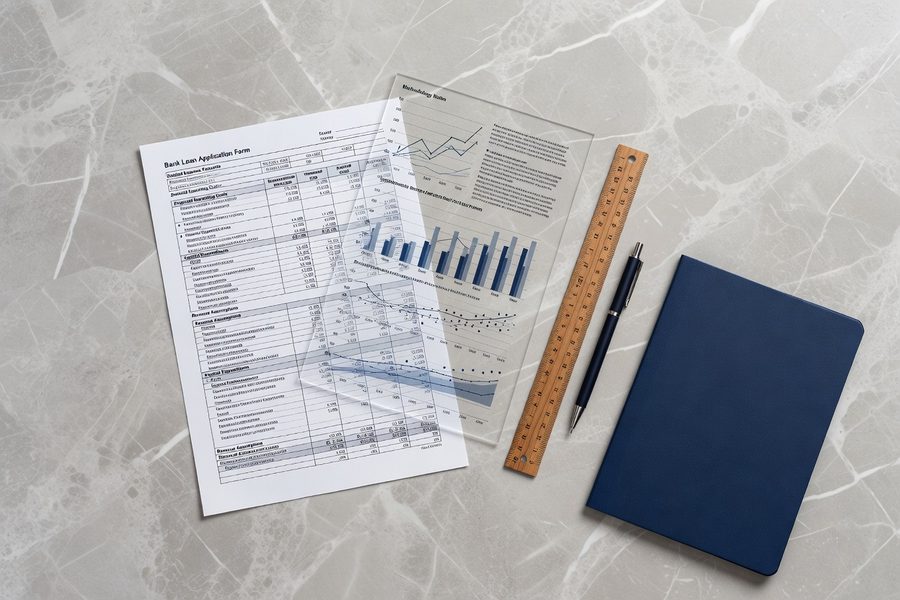
When a bank asks for a 12-month expense forecast with your loan application, they don’t just want the numbers, they want to know how you arrived at them. AI expense forecasting can meet GAAP-adjacent recordkeeping standards if you maintain a clear audit trail: which data sources were used, what driver assumptions were applied, and when the model was last retrained. That’s usually enough for a commercial lender, but not always for a rigorous audit. Keep a log of every assumption override; it’s your proof that a human was in the loop.
Explainability is the other half of trust. If the AI says your marketing spend will double in March, you need to see why, maybe it’s linking to a seasonal campaign from last year that you’re not repeating. The best tools surface the top contributing factors for each forecast line. If they don’t, you’re flying blind. This is a deciding when to trust an AI forecast moment: you accept the number when the reasoning holds up, and you override it when your reality differs. No tool can replace that judgment call.
A Practical 7-Step Action Plan to Get Started in 30 Days
- Export 12 months of transactions from your primary bank account and credit cards. Download CSV files from your bank portal or accounting software. Do not skip the full year, shorter history tanks model accuracy.
- Clean and categorize every line item. Merge vendor name variants, split personal expenses, and tag one-off purchases as non-recurring. This takes 3–4 hours. Do it before signing up for any tool.
- Pick a no-code AI tool that integrates with your accounting platform. Test two on free trials, checking mobile access and data privacy terms. Prioritize those that show driver‑based logic, not just predictive black boxes.
- Connect your data sources and run a baseline forecast. Don’t tweak anything yet. Let the model produce its raw projection and save it as a reference point.
- Adjust the drivers. Identify the three to five real-world events that move your expenses (seasonal hiring, inventory builds, contract renewals) and set them as model inputs. Run a second forecast with those drivers active.
- Set up weekly alerts for variance over 10% in any expense category. Schedule a 15-minute check every Monday to compare actuals against the forecast and note why discrepancies occurred.
- Retrain and refine monthly. After 30 days, review the model’s performance. If error exceeds 20%, dig into data quality or add more transaction history. Gradual improvement beats one-and-done setup.
Related reading: aio quick authority: retirement mistake.
Frequently Asked Questions
How accurate is AI expense forecasting compared to spreadsheets?
AI expense forecasting typically reduces quarterly forecast error to 10–15%, while manual spreadsheets routinely miss by 25–40%. That gap widens as transaction volume increases.
Is AI expense forecasting safe for my business financial data?
It depends on the provider. Look for tools that encrypt data at rest, do not use your transactions to train public models, and offer a clear data deletion policy. Always read the privacy section before connecting bank feeds.
Can I use AI expense forecasting if I only have 6 months of transaction history?
You can, but accuracy will be poor. Models need at least 12 months to learn seasonal patterns and distinguish one-off spikes from recurring costs. Under 6 months, stick with a manual forecast.
What’s the minimum number of monthly transactions needed for AI forecasting?
Around 50 transactions per month. Below that, the model lacks enough data points to find reliable patterns, and simpler methods like a moving average often outperform AI.
How do I explain an AI forecast to my bank or accountant?
Keep a record of data sources, driver assumptions, and override logs. Most lenders accept AI forecasts as long as you can show the reasoning behind the numbers. If the tool doesn’t provide driver traceability, supplement with a short written explanation.
Does AI expense forecasting work for businesses with highly irregular spending?
Only partially. If expenses are dominated by large, unpredictable one-off purchases, AI models struggle. You’ll need to manually tag those out and focus the AI on the recurring cost lines that do follow a pattern.
Can I combine AI forecasts with my existing manual budgeting process?
Absolutely. Many small owners use AI for a weekly cash preview and keep their annual budget in a spreadsheet. The AI handles pattern detection; the human handles strategic decisions and exception tracking. That hybrid approach often delivers the best results.
What if the AI forecast is wrong, who’s responsible?
You are. AI is a decision-support tool, not a fiduciary. Always review the output before acting, and treat any forecast as a probability, not a promise. If the tool’s error exceeds 20% over two consecutive months, re-evaluate your data quality or switch methods.
How much time does AI expense forecasting save per month?
Owners typically save 3–5 hours per month by eliminating manual data pulls and categorization. The trade-off is a weekly 15-minute review session to keep the model accurate.